How FileBazaar Works
Sophie Crawford
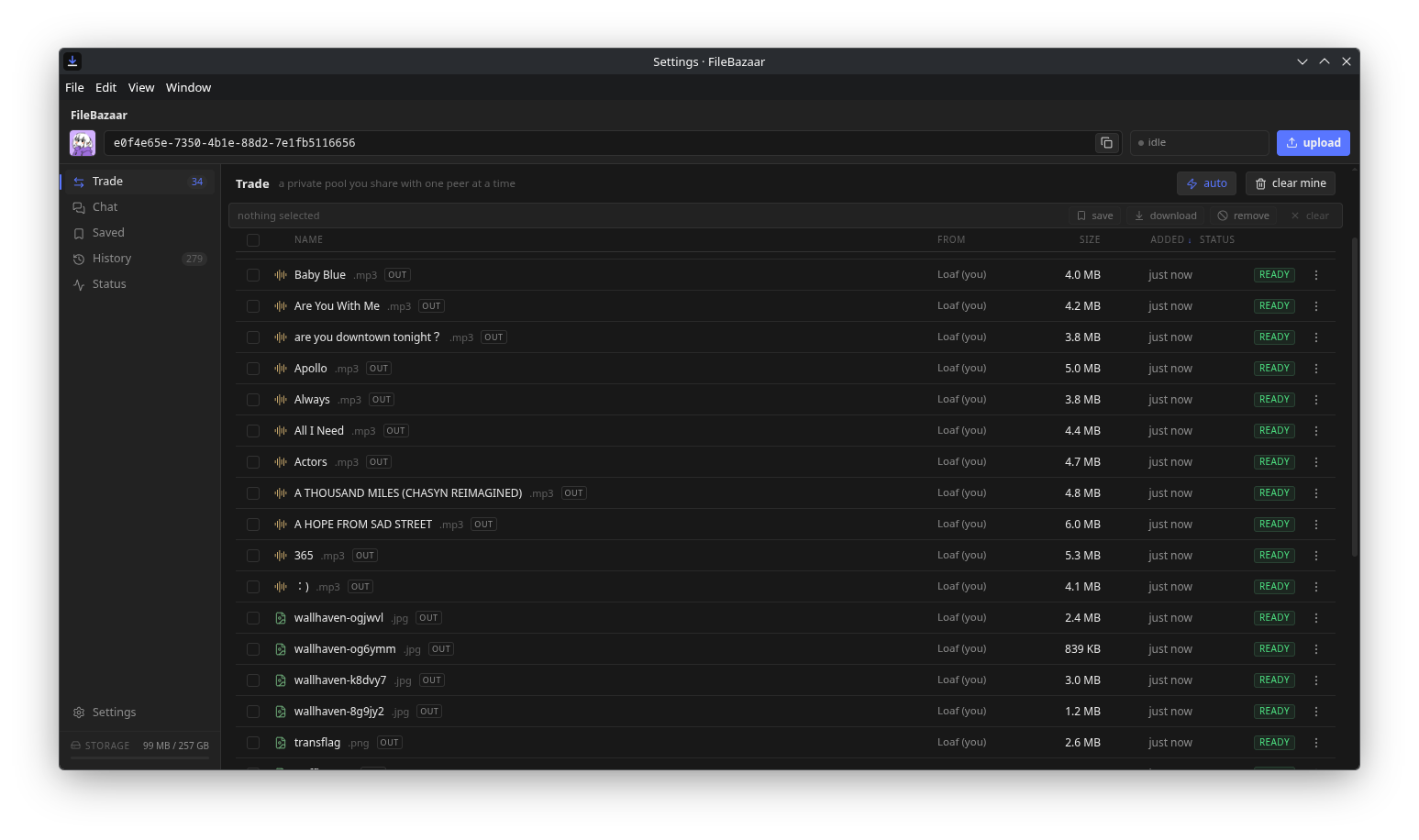
FileBazaar is built with 2 main technologies. The front-end is built with SvelteKit and the backend is a hybrid system of custom-built utilities wrapped around PeerJS, a WebRTC TypeScript library for working and interfacing with WebRTC in general.
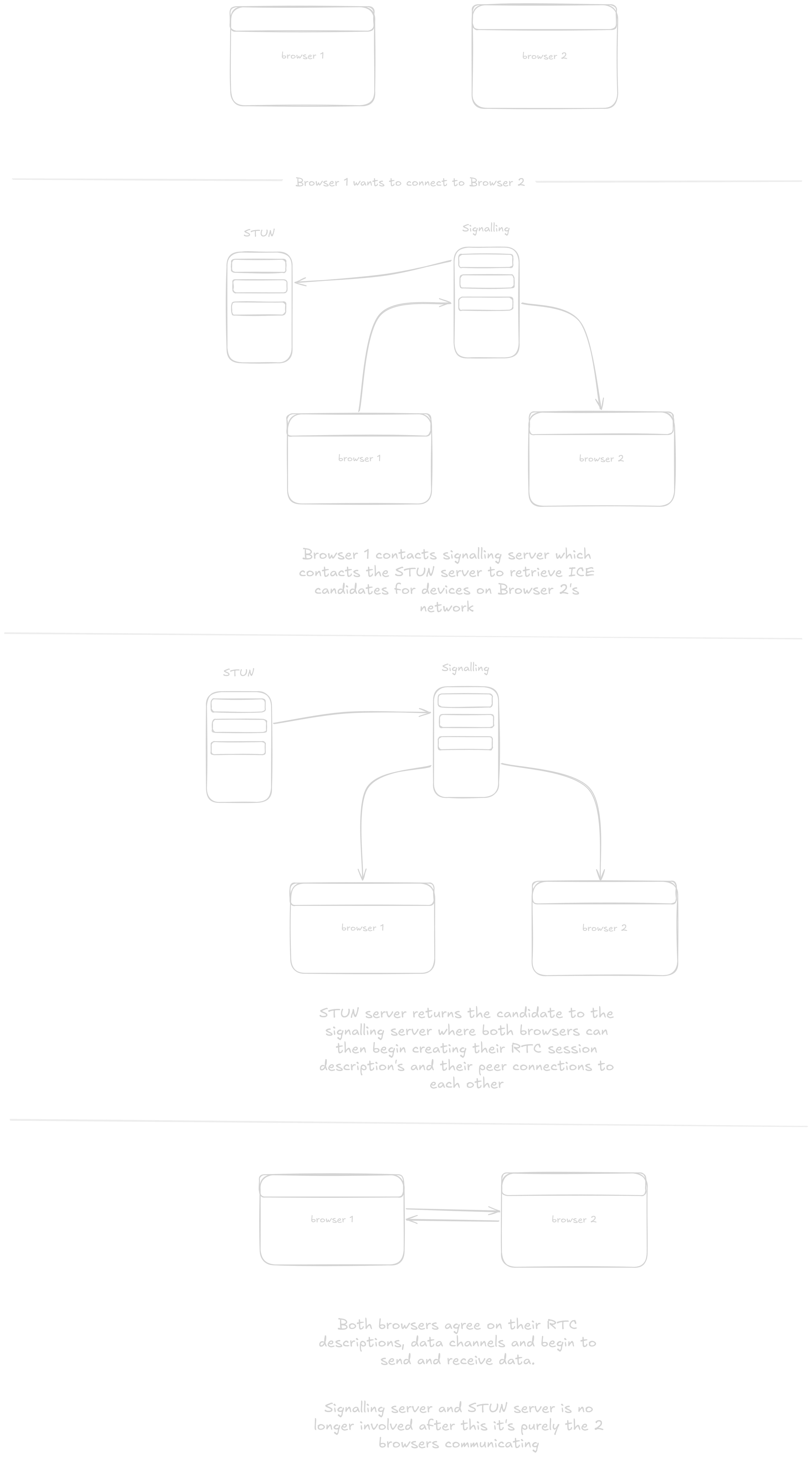
Let's first begin at the place where most users will start. Connecting to a peer. When 2 peers connect they trade their profile information if applicable and then the peers can begin receiving and sending data as they please between one another after that has been established. As for how peers are discovered there is an ID system that works much like an IP address. Each user is given a unique ID per session which identifies their WebRTC session description. A quick diagram of how the WebRTC process works in general can be found below:
Once the peers are ready to send and receive data. Users in FileBazaar can drag and drop their files in or upload them. Once they do that their files are converted into blob objects which are then sent through the WebRTC data channel and, if all data lanes succeed, pop up on the other browser's end also as a blob where it can either be downloaded or kept as a blob saved in their browser for later. There are up to 4 data lanes that can send chunks of data at a time. This both helps with data transfer integrity and speed.

The lanes are dynamic to the data that is being sent through so something that doesn't necessarily need to take up all 4 lanes won't. This is generally how all the data is transferred in FileBazaar and how it's progressing to make something like this built on top of a fundamentally UDP-based protocol more reliable.
Files are sent in up to 64-256 KiB chunks based on what the browsers decide they can handle. This is also to save on bandwidth and to not overload the network between you and the other peer.